

Help
Picture guides
Install the plugin
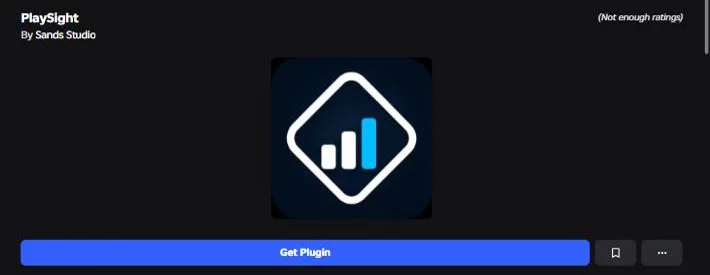
1Creator Store ↗ → Get Plugin (free)
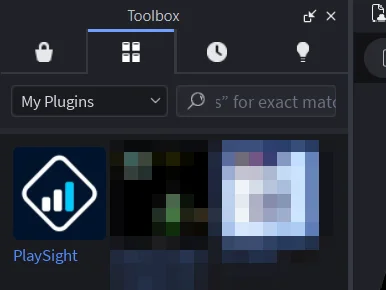
2In Studio: Toolbox → the 2nd tab → My Plugins → PlaySight → Install
3Open the Plugins tab
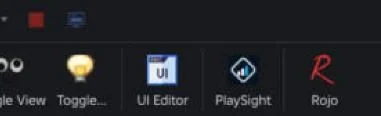
4Click PlaySight
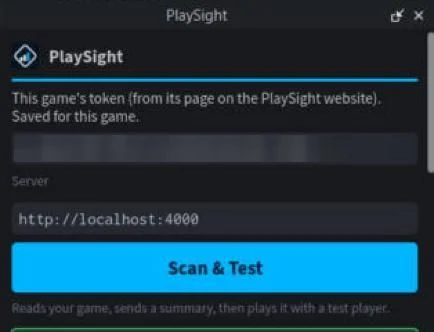
5Paste your token in the top box
6Click Scan & Test
7Then on PlaySight: open your game and click Get my report
Make the analytics key
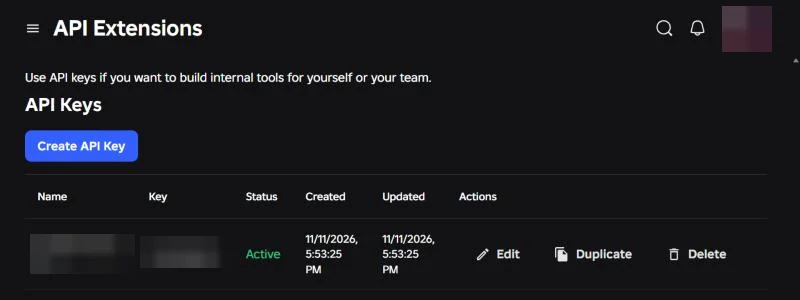
1API Extensions ↗ → Create API Key
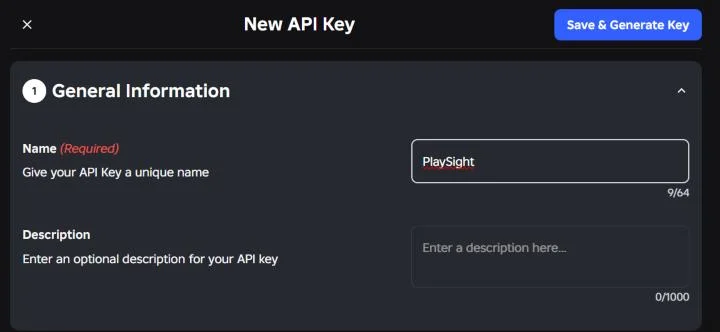
2Name it PlaySight
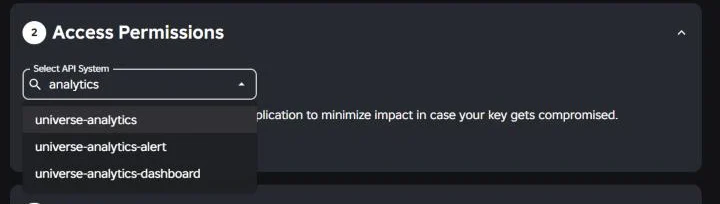
3Select API System → universe-analytics
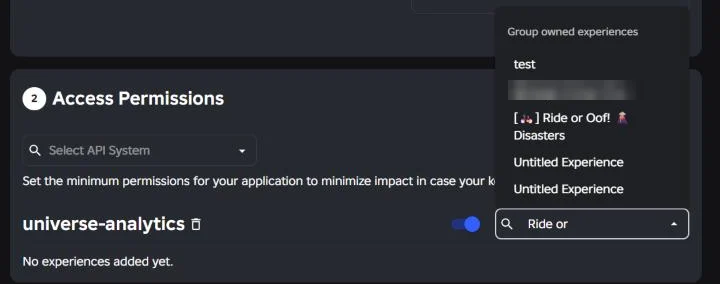
4Switch on (Continue), pick your game
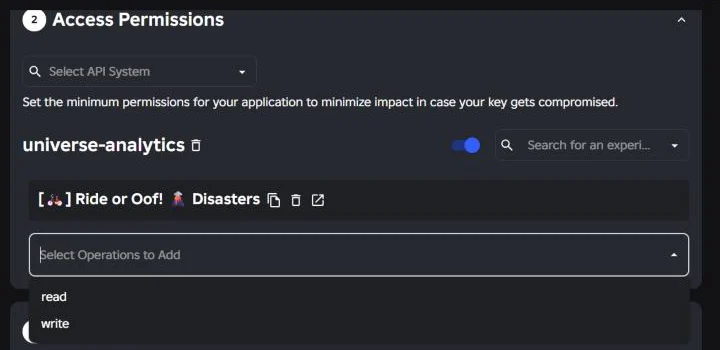
5Operations: only read
6Save & Generate Key, copy it, paste it here
Find the universe ID
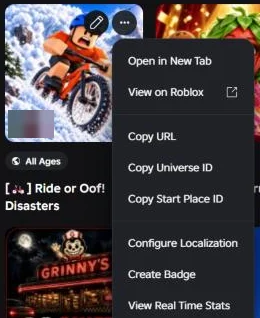
1Creations ↗: ⋯ on your game → Copy Universe ID
Connect your AI
1Click Connect my AI below
2Click Copy next to the Claude Code line

3Open PowerShell: click Search, type PowerShell, press Enter
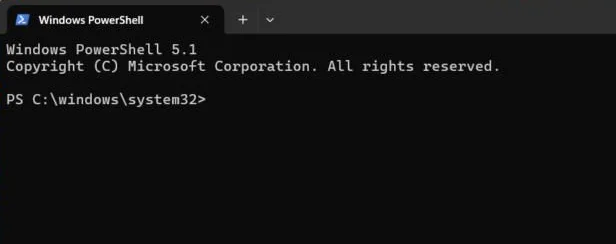
4Click in the window, press Ctrl+V to paste, then Enter
5It says Added HTTP MCP server playsight. Done, for all your games.
Common questions
Getting started
What is PlaySight?
An AI game doctor for Roblox. It plays your game in Studio, reads your Roblox numbers and your game, and tells you what's making players leave, ranked, with a fix for each.
How do I start?
Sign up, add your game, install the Studio plugin and click Scan & Test. Then click Get my report on the website. It takes about 2 minutes to set up.
Do I need to know how to code?
No. Every fix says exactly what to change and where. You can copy a ready-made prompt for your AI (Claude Code, Codex, ChatGPT), or on Creator and up let PlaySight make the change in Studio for you.
My game has no players yet. Is it still useful?
Yes. Scan & Test and the Playtest Lab don't need any players: they test the game itself. And Honest Verdict checks if an idea is worth building before you start.
What's the difference between Scan & Test and Get my report?
Scan & Test (in the Studio plugin) reads your game and plays it: free, as often as you like. Get my report (on the website) is when PlaySight's AI reads everything and tells you what to fix. It uses 1 report from your package.
Do I need to connect my analytics?
No, but it helps. A report needs a scan or your analytics. Both together give the best report, because PlaySight can then see where real players leave.
My game has a lobby and other places. Does it work?
Yes. Open each place in Studio and click Scan & Test there; the same token works in all of them. Reports say which place each problem is in.
How long does a report take?
A full report takes about 5–15 minutes. Most checks take 1–5 minutes. You can leave the page: it's saved when it's ready.
Reports and accuracy
What do Fact and Guess mean?
Fact comes from your numbers or your game itself. Guess comes from an AI test player: a good hint, but not proof. Reports always say which is which.
Are the AI playtests real players?
No. They're AI test players of different ages and devices, so they predict how people might play. Your real numbers (from the analytics key) show what real players do.
What if PlaySight gets something wrong?
Press Not right? under the fix and say why. PlaySight leaves it out of future reports for your game, and the team uses it to make PlaySight smarter for everyone.
How do I know a fix worked?
Mark it as done. Re-test my fixes runs the same test again for a before and after, and the next report checks your numbers.
Can I download or share a report?
Yes. Every report has Download PDF.
What AI does PlaySight use?
Claude, made by Anthropic, for the reports and checks. The Art Studio uses OpenAI to draw pictures.
Your game is safe
Will PlaySight change my game?
Never unless you say so. The plugin only reads. A change only happens when you approve the exact change it shows you, and every fix can be undone with one click.
Can PlaySight publish my game or spend my money?
No. It can't publish or touch your live game, and it never spends money. The Ads Coach writes your plan; you run ads yourself.
Is my code used to train AI or shown to others?
No. Your game file never leaves Studio. Your script code is only sent if you say yes, is never used to train AI, never shown to other developers, and is deleted after 30 days.
Is the analytics key safe to give?
Yes. It's read-only, for this one game. PlaySight checks that with Roblox and refuses any key that can do more. It's stored encrypted, and you can delete it on Creator Hub any time.
Can I delete my data?
Yes. Account → Delete all my data removes everything at once, and Export my data gives you a copy first. Every promise →
The tools
What is Honest Verdict?
Paste a game idea and get a straight answer: is it worth building? It's compared with the genre's top, trending and smaller games. It uses 1 AI check.
Does the Ads Coach run my ads?
No. It writes your ad and marketing plan and checks your campaigns. You run the ads yourself in Roblox's Ads Manager, so PlaySight never spends your money.
What's the Playtest Lab?
AI test players of different ages and devices play your game in Studio, then the Audience Report says who your game suits best and what to change.
What can the Art Studio make?
Thumbnails, a game icon, and matching game pass, developer product and badge icons. No image credits left? It gives you a prompt to use in ChatGPT instead.
What does the Monetization Doctor do?
Checks your game passes, products and prices against your players, and says what to reprice, add or remove, and when to show offers.
Does it check phones and consoles?
Yes. The UI Doctor checks your screens on phone, tablet, PC and console sizes, like buttons too small to tap or text too small to read.
Plans and billing
Is there a free plan?
No. You can sign up, add a game and scan it for free. AI features come with a package, from $6 a month.
Which plan should I pick?
By how many games you have: 1 game, Starter or Creator. Up to 3, Pro. Up to 10, Studio.
What's an AI check?
One run of a tool like UI Doctor, Monetization Doctor or Honest Verdict. Scans and fix prompts are unlimited.
When does it reset?
Every month, on the day you joined. Failed runs don't count.
Can I buy just one more report?
Yes, with a package: 1 report for $4, 3 AI checks for $4 or 10 thumbnails for $5, on Account. They're used after your month's allowance and last 12 months.
Can I cancel?
Any time, from Account. You keep your plan until the month you paid for ends.
Can I pay with Robux?
Not yet. Card only, through Stripe.
I have another question.
Open Help: ask the help chat, or send a message to the team.